

If you’re looking for a controller to use with your mobile, your PC, or even your Switch, then it is quite likely that you will have come across GameSir’s impressive catalog of devices. Indeed, they have something to suit all gamers, from the mobile gaming purists to the cross-platform aficionados, they’ve likely got you covered. In this Review, we are taking a look at one of GameSir’s more budget-friendly multi-platform options with the Nova and the Nova Lite. Two classic-looking controllers that have you covered with quality and functionality despite their low price point. With the Nova, you get a slightly better-looking controller with a little extra functionality but the Nova Lite is also a real gem. So, let’s get into it and check out how both these controllers stack up and if they are right for you.
Table of Contents
A No-Nonsense Modern Design
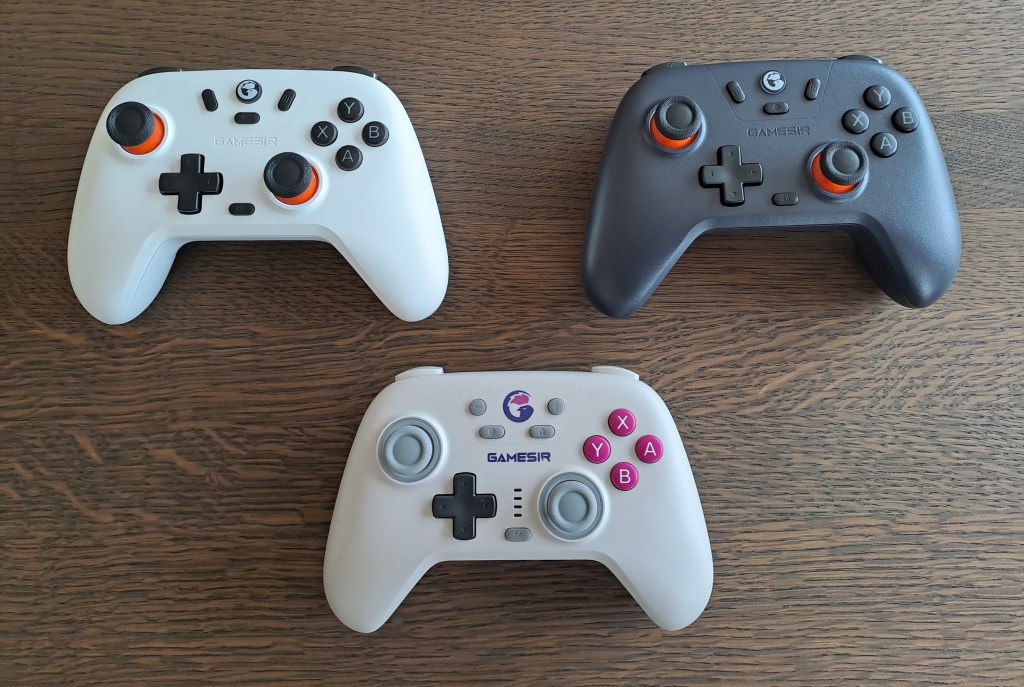
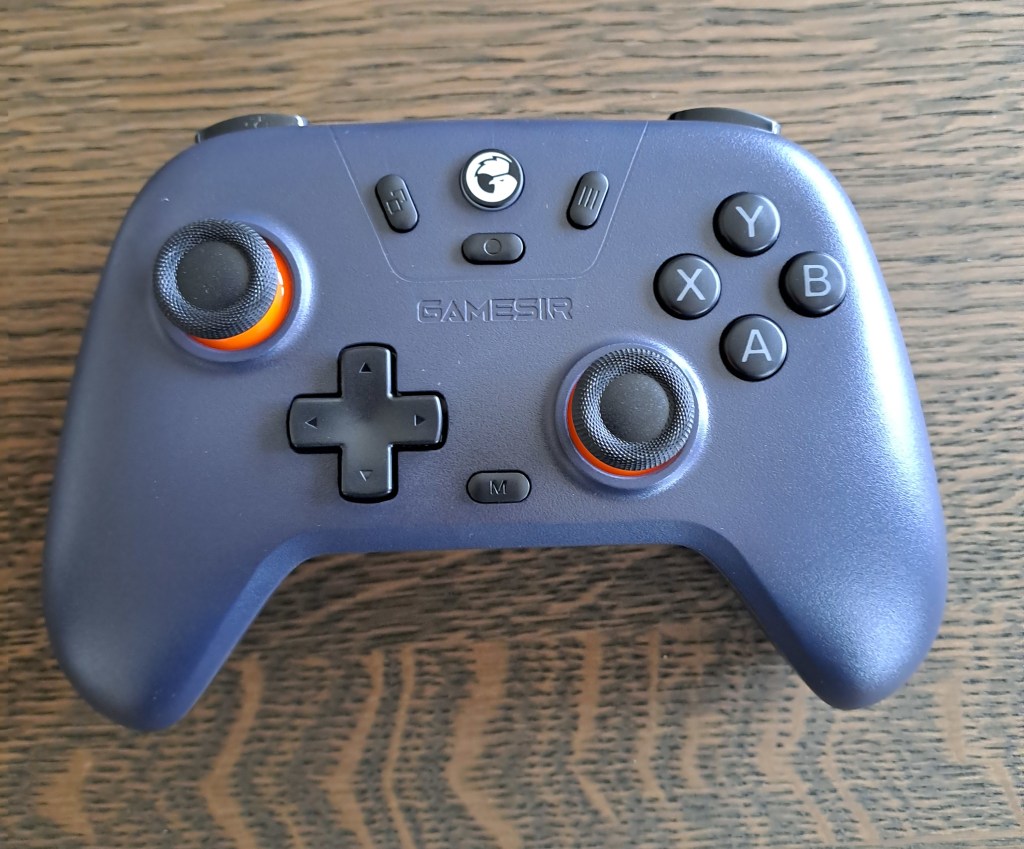
The GameSir Nova and Nova Lite are exactly what you’d expect a multi-platform controller to look like in the modern era. In particular, for any Xbox gamers, you’ll be very familiar with its ergonomic design and will instantly feel at home with it in your hands. In addition, they look pretty nice too with our testing involving the Nova Retro White design and the Nova Lite Midnight Blue and Domino White designs. You can also get the Nova in a transparent Neon Teal colour which looks very cool.
Both controllers feature a distinctive lighting system which helps you understand which connection you are currently using. For the Nova Lite, the GameSir button color will change between Red, Yellow, Blue, and Green depending on what device you want to connect to, in contrast, the Nova has 4 vertically parallel lights just above the M button which light up in different combinations to do the same. For those who will be using the controllers across multiple devices, it is super easy to change the setting with this all covered in the manual and only requiring a simple 2-button combination to cycle through the options.
As you’d expect, however, the more premium option in the GameSir Nova model features one particularly interesting design improvement over the Nova Lite. Indeed, when in operation, the 2 sticks have RGB lights around the bottom to add a little style to your gaming sessions. This looks extra impressive when playing in the evening as the daylight starts to fade.
Buttons Galore

Next up in this GameSir Nova & Nova Lite Review let’s take a quick look at what buttons both controllers feature. And, thankfully, both have all the buttons you would now expect from a modern-day gaming device. This includes a home button, a d-pad, back triggers, a screenshot button, and plus and minus buttons. However, perhaps of most interest is the M button that is featured on both versions of the controller which adds further controller functionality and customization with certain button combinations.
For example, holding down the M button on the GameSir Nova Lite while pressing up or down on the d-pad will increase or decrease the controller’s vibration intensity. There are a large number of options for customization with several different M button combinations available. All of these are handily covered in the manual which can be found here.
In addition, the more expensive Nova version also features 2 back buttons – R4 and L4. These are initially unassigned and can be programmed as single buttons or as combinations with other buttons on the controller. Although I was initially worried I might end up inadvertently pressing these buttons as I played, I never actually did. These additional buttons add a huge amount of extra functionality to this controller, especially when you need to make extra quick selects in certain game modes for example hitting certain combos in your Favorite Mobile MOBA. How to do this is again covered in detail within the controller user manual.
Connectivity Made Easy
No controller review would be complete without going over how easy they are to connect with your devices and we were extremely thorough with the Nova and Nova Lite, testing them with PC, Switch, and Android. On PC with the GameSir Nova, we used a USB-C wired connection with the controller instantly being picked up and working right away as we played some Asphalt 9. For the Nova Light, we used the wireless dongle which again automatically connected after a short period with it working seamlessly in our gaming sessions.
GameSir does confirm that a wireless dongle connection also works with the Nova but we were unable to test this in our review as we did not have this available for that controller. Nonetheless, both connections worked great with no additional software required which is always a bonus, and, to be honest we didn’t notice any latency issues at all with the wireless connection making this the preferred option. Alternatively, you can also use a Bluetooth connection for both controllers if you are out of available USB ports for the wireless dongle and/or wire.
For Android, we tested both controllers out with 2 phones – the Samsung Galaxy S23 and the Redmagic 8 Pro. Both worked the same with a Bluetooth connection and no additional software was needed either. In addition, like the PC wireless connection, we noticed no latency issues at all which is often a concern for many gamers. Although we didn’t test the controller out on an iOS device, GameSir notes that the connection is also done via Bluetooth and we don’t envisage any issues here either.
Regarding the Switch, you can connect via Bluetooth or a Wired connection and we tried out both methods. Again, this worked flawlessly during our review for both the Nova and Nova Lite with the Bluetooth connection yet again showing no delays. Overall, this was super easy plug-and-play at its best.
Lastly in this section of this GameSir Nova and Nova Lite Review, it is worth mentioning the battery capacity of both controllers. Thankfully, we are happy to report that both models come with a built-in 600mAh battery giving about 10 hours of gameplay and only taking 2 hours to fully charge using a USB-C cable. Indeed, across our thorough testing we didn’t once get cut out during a gaming session, but, to be fair, I don’t think I’ve had a 10-hour gaming session in a decade or 2 now!
Gaming in Comfort
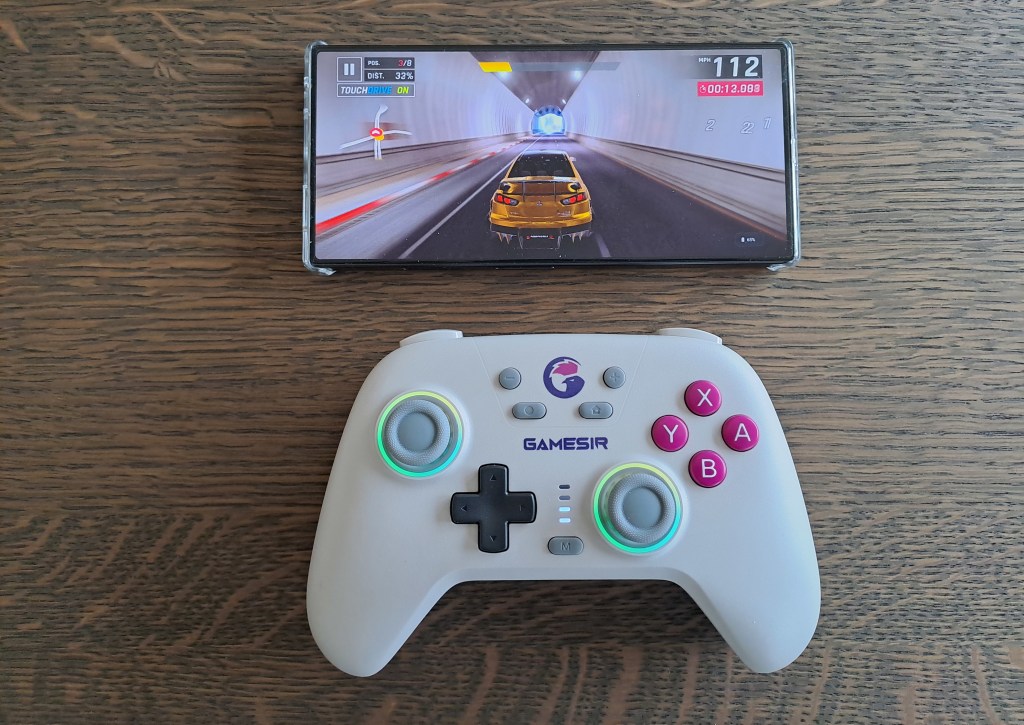
Knowing that the connection for these controllers is super easy and that both versions come with a plethora of buttons is all well and good, but how do they actually feel to play!? Next up in this GameSir Nova and Nova Lite Review, we are going to tackle this very question and thankfully the answer is super simple. Indeed, as you’d expect for a controller pretty much made to mirror the Xbox controller design, they both feel great in your hands. That should be no surprise, right?, considering this design has now been in use for a VERY long time!
However, one thing that should be noted with this type of controller is that it probably is not your best option if you are purely a mobile gamer. To play with it on a mobile you will ideally attach it to the controller using a separately sold gaming clip. Otherwise, you’ll have to precariously prop your mobile up against something while you play which is far from ideal. A better option for pure mobile gamers is a controller made specifically for mobiles that you can clamp your phone into, for example, the GameSir G8 Galileo.
A Budget-Friendly Controller that is Hard to Ignore
Overall, the GameSir Nova and Nova Lite both did a great job when we put them through their paces for this review. Whether it was thrashing around the race course in Asphalt 9 or grinding it out in CoD: Mobile, both worked wonderfully. The only notable drawback is that although both are compatible with mobiles, you need to buy a gaming clip to attach your mobile to the controller or buy a different model that is purely built for mobile gaming to get the best experience. However, if you game across a range of devices then either of these models is a great option and at a fantastic price point to boot. Head over to the GameSir Website to pick up a Nova or Nova Lite if these sound like the ideal controllers for you.
More Mobile Gaming Peripherals
Join our Community
If you enjoyed this GameSir Nova & Nova Lite Review then join our community to keep up to date on all the latest gaming news, reviews, guides, and other lists of the best items for Mobile Phone Gamers.