

When we got the chance to try out the MAONO PD100X USB/XLR we were really excited to put this stylish microphone through its paces and see if it could stand up to the big players in the space such as SteelSeries, Razer, and Yeti. Of course, MAONO aren’t simple nobodies when it comes to audio streaming peripherals, nevertheless, they are still relatively unknown, at least to us! Therefore, we were delighted to discover what we really think is a gem of a microphone that looks pretty great too. Whether you’re a budding podcaster or gaming streamer looking to up their audio quality, this product is really worth a look. Keep reading this review as we dig into the weeds and let you know why we will now be doing a lot of our recording on the MAONO PD100X USB/XLR Microphone!
Table of Contents
Stream and Record in Style
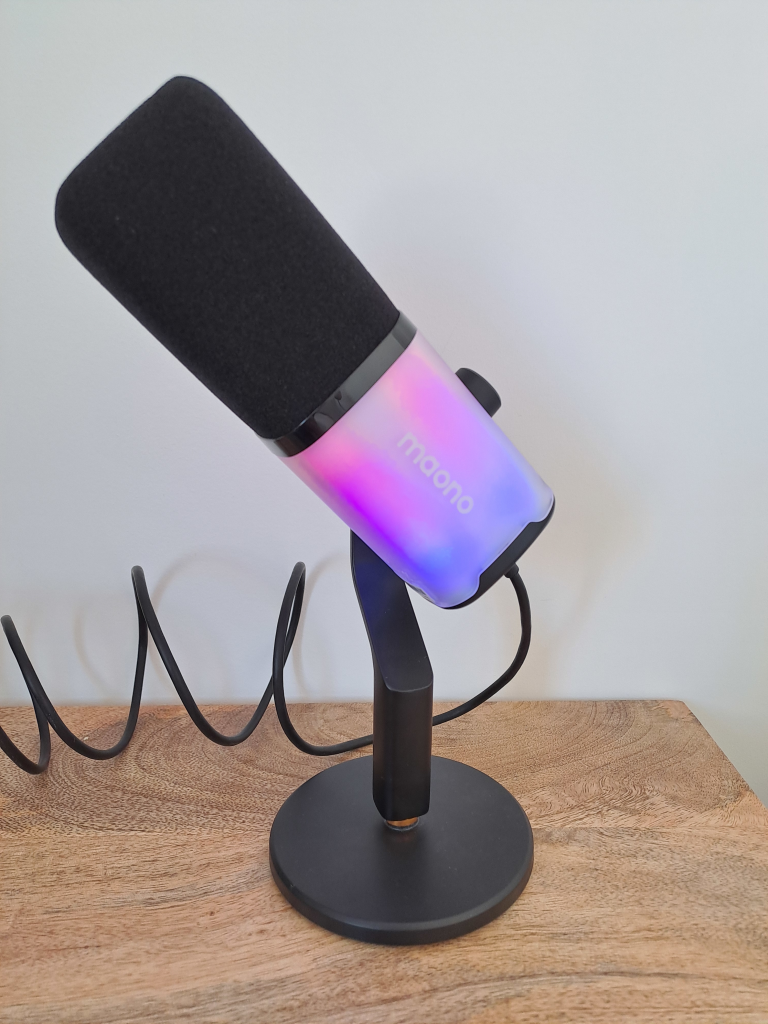
At first glance, the MAONO PD100X USB/XLR Microphone looks quite ordinary. However, as soon it is plugged in, it is completely transformed with RGB lights lighting up the entire microphone. The lights can easily be changed up to fit whichever style you like best by lightly pushing in the volume dial and turning it. It can then be pushed in again to return to volume control. This is perfect for gaming streamers who can add a little extra touch to their streams with these funky colors.
It is also worth mentioning the included stand that comes with the microphone and is easily attached to in seconds. The stand is also a great compact size meaning it can fit on even the smallest of desks and when all put together has a real weight to it preventing you from accidentally knocking it around all over the place mid-recording session.
Easy Plug and Play Set Up

MAONO has spared no effort in ensuring that the PD100X is as seamless to use as possible. Simply connect to your desired device using a USB-A or USB-C cable and immediately start speaking into the microphone. You can then plug your headset into the microphone using an aux connection which will also start to instantly feed you the sound from your device and the microphone.
You can then control everything you need to directly on the microphone without the need to go into any complicated software. There is an easy-to-access touch mute button on the back which, when tapped, will stop your microphone from receiving any sound. The volume light will go red in this state to highlight you are on mute. It can then be touched again to turn it off. Being touch is a nice little bit of finesse that ensures that nothing is picked up by the microphone that you may get from a regular button. It’s a bit of a shame they didn’t think of this for the RGB adjustment controls as we were picking up this being pressed in while mid-record.
MAONO Link for Full Control

While plug-and-play has huge appeal, it does leave you with the out-of-the-box microphone settings. This is often fine for simple tasks, however, for a more professional setup, you’ll likely want to adjust things slightly to get the sound you want. Fortunately, MAONO offers their Link software to everyone for free on Windows and Mac which can be linked up to your microphone. Once connected you can adjust all sorts of settings such as Tone, Equalizer, and dB Limiter / Compressor.
Excellent Audio Quality With XLR
Up to this point, we have discussed just the USB-A and USB-C connection for easy plug-and-play. And while the audio quality was pretty good under testing, though not the clearest we have used, it is no secret that XLR will yield better results and allow for more bespoke control over settings with something like the Maonocaster G1 NEO Audio Mixer. Brilliantly, MAONO has thought about this and has included an additional port on the bottom of the microphone to connect to it with an XLR cable. This really is the best way to use the PD100X for the most professional results though, of course, it does require a little more investment for the additional equipment you will need.
The PD100X Stands Out as a Versatile Gem
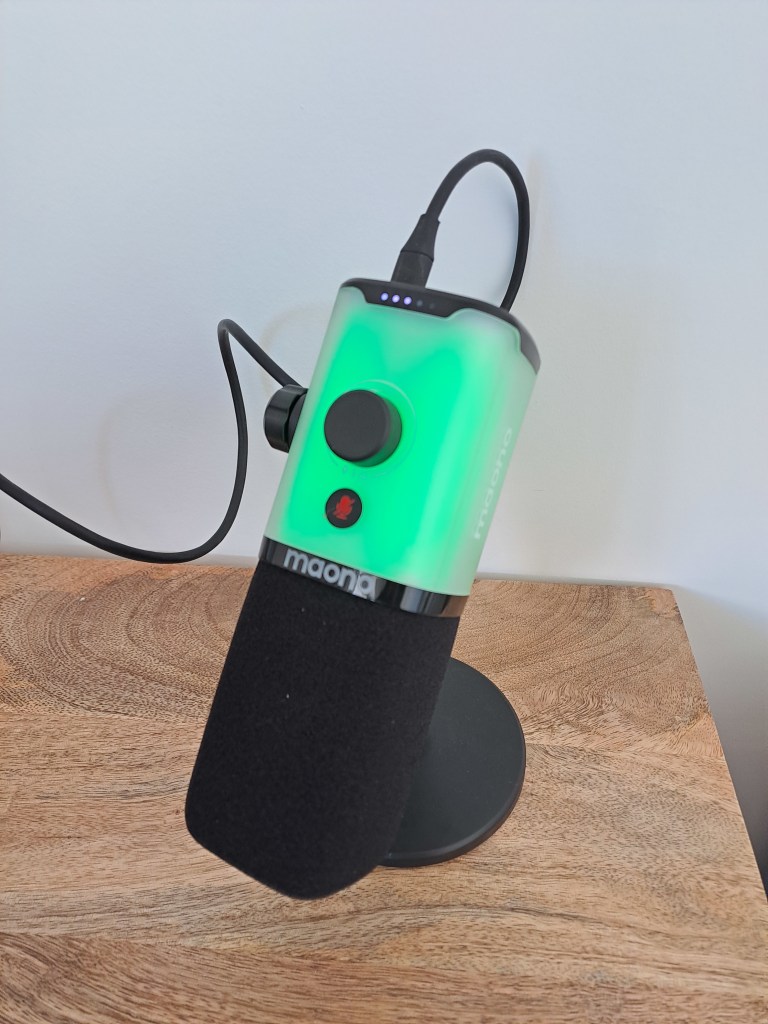
The MAONO PD100X is pitched as a microphone for Game Streamers, and it is not hard to see why given its huge versatility allowing it to be used across many different systems. Indeed, with the USB connection you can connect to almost any gaming device such as a PC, Smartphone, and Game Console. Although the audio quality under a USB connection wasn’t the best we have ever had, this was made up for by its simple plug-and-play and the ability to also connect to an external audio interface via an XLR connection. Overall, if you are a gaming streamer, you cannot go wrong with the PD100X as a budget-friendly option that has you covered across most systems you might want to play on. Indeed, we are already using it for many of our very own videos! If this seems like the microphone for you, be sure to head over to the MAONO Website for your very own PD100X!
More Gaming Peripherals
Join our Community
If you enjoyed this MAONO PD100X USB/XLR Microphone then join our community to keep up to date on all the latest gaming news, reviews, guides, and other lists of the best items for Mobile Phone Gamers.